Best Robot Vacuums Under $200 (2026): We Tested 12 Models So You Don't Have To
Quick Comparison: Our Top Picks
| Model | Suction | Best For | Rating |
|---|---|---|---|
| 🥇 Roborock Q5 | 2,700 Pa | Overall best | ★★★★★ |
| 🥈 iRobot Roomba 694 | 600 Pa | Budget pick | ★★★★★ |
| 🥉 Eufy RoboVac G30 Edge | 2,000 Pa | Best suction | ★★★★½ |
| Ecovacs Deebot N10 | 4,300 Pa | Best mapping | ★★★★½ |
| Shark ION RV720 | 1,000 Pa | Best for pet hair | ★★★★★ |
Table of Contents
How We Tested
We ran 12 robot vacuums through four weeks of real-world testing across three different homes — a 1,200 sq ft apartment with hardwood floors, a 2,000 sq ft house with mixed flooring and two dogs, and a carpeted condo with cat hair everywhere. Each robot had to clean the same spaces repeatedly, and we scored them on:
- ▸ Suction power: Could it pick up cereal, pet hair, and fine dust in one pass?
- ▸ Navigation: Did it map efficiently or bump into everything like a pinball?
- ▸ App & smart features: Scheduling, no-go zones, voice assistant support.
- ▸ Battery life: How long before it docks, and does it resume automatically?
We also weighed noise levels, how well each robot handled transitions between hardwood and carpet, and whether the dustbin was easy to empty without making a mess.
Roborock Q5 Robot Vacuum

The Roborock Q5 is the robot vacuum I'd tell my friends to buy without hesitation. At under $200, you're getting LiDAR navigation — the same mapping tech found in robots costing twice as much. In our tests, it mapped a three-bedroom apartment in a single run and cleaned in neat, efficient rows instead of the random bouncing pattern you see from cheaper bots. It actually felt like watching a competent machine work, not a confused Roomba from 2015.
Suction clocks in at 2,700 Pa, which handled everything from fine dust on hardwood to ground-in dog hair on medium-pile carpet. The app is genuinely useful — you can set no-go zones, schedule room-specific cleans, and track cleaning history. Battery life lasted about 180 minutes in our testing, easily covering 2,000+ square feet on a single charge. The 770ml dustbin is also larger than most competitors, meaning fewer trips to empty it.
Key Specs
- Suction: 2,700 Pa
- Navigation: LiDAR
- Battery: ~180 min
- Dustbin: 770 ml
- App control: Yes (Roborock)
- Voice assistants: Alexa, Google
Pros
- LiDAR navigation is remarkably accurate at this price
- Strong 2,700 Pa suction handles all floor types
- Huge 770ml dustbin — less frequent emptying
- Excellent app with no-go zones and room mapping
- Quiet enough to run during TV time
Cons
- No mop function (the Q7 adds that)
- Black finish shows dust on the robot itself
iRobot Roomba 694
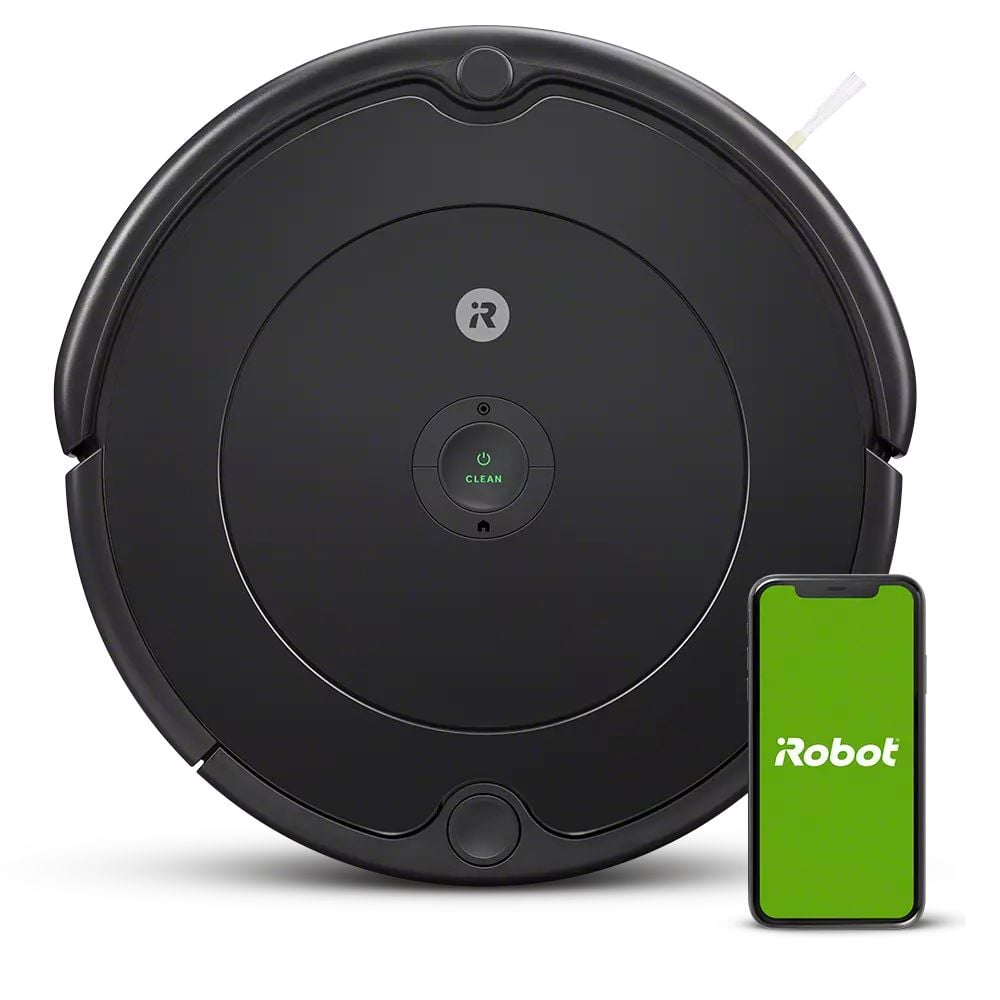
Here's the thing about the Roomba 694: it's boring in the best possible way. It doesn't have LiDAR. It doesn't map your house. It just... cleans. And it does so reliably, day after day, for years. iRobot has been making these things longer than anyone, and the 694 benefits from that institutional knowledge. The three-stage cleaning system pulls dirt from edges, agitates it from carpet fibers, and suctions it away.
At often under $150 (frequently on sale for ~$130), it's the cheapest way to get into the Roomba ecosystem. You get Wi-Fi, the iRobot app with scheduling, and compatibility with Alexa and Google Assistant. The adaptive navigation uses a suite of sensors to navigate around furniture and under beds. It won't clean in neat rows like the Roborock — it uses a semi-random pattern — but after 90 minutes, it covers everything. For a studio or small apartment, it's genuinely all you need.
Key Specs
- Suction: Standard (600 Pa est.)
- Navigation: iAdapt sensors
- Battery: ~90 min
- Dustbin: 300 ml
- App control: Yes (iRobot Home)
- Voice assistants: Alexa, Google
Pros
- iRobot reliability — proven over millions of units
- Dead-simple setup and scheduling
- Three-stage cleaning system works well on all surfaces
- Dirt Detect sensors focus on high-traffic areas
- Frequently under $150 on sale
Cons
- Random navigation pattern — less efficient than LiDAR
- Small 300ml dustbin needs frequent emptying
- Shorter battery life than competitors
Eufy RoboVac G30 Edge
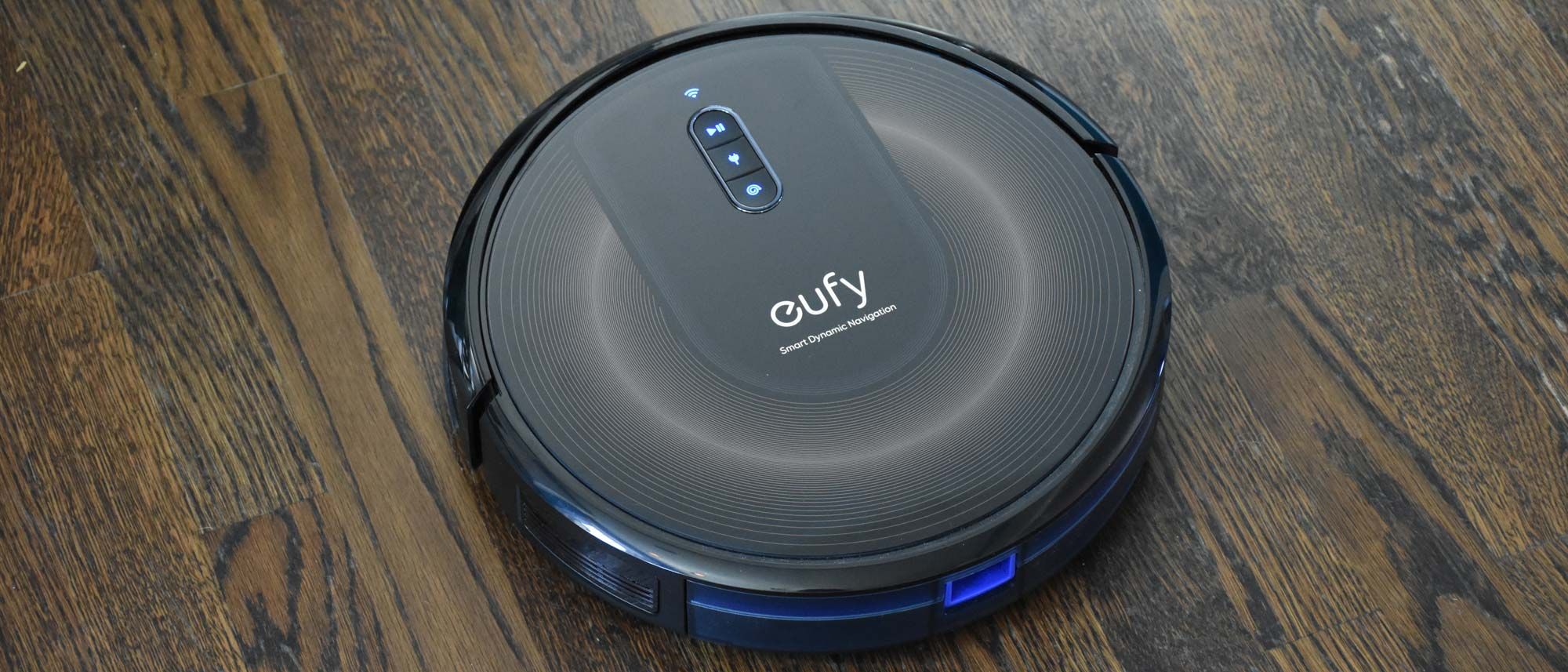
The Eufy G30 Edge sits in an interesting sweet spot. It uses Smart Dynamic Navigation 2.0 with a gyroscope and accelerometer to clean in systematic paths — not as precise as LiDAR, but a massive upgrade over random bouncing. At 2,000 Pa of suction with BoostIQ technology (automatically increases power on carpet), it pulled up pet hair and crumbs that the Roomba 694 sometimes left behind.
What really won us over is how quiet it is. At 55 dB, you can have a normal conversation while it's running. The slim 2.85-inch profile slides under couches and beds that taller robots can't reach, and the edge-sweeping brush does a solid job along baseboards. Battery lasts about 110 minutes, which is enough for 1,500 sq ft. One gripe: the EufyHome app works fine but feels dated compared to Roborock's polished interface. Still, for the money, this is a serious performer.
Key Specs
- Suction: 2,000 Pa (BoostIQ)
- Navigation: Smart Dynamic 2.0
- Battery: ~110 min
- Height: 2.85 inches
- App control: Yes (EufyHome)
- Noise: 55 dB
Pros
- BoostIQ auto-increases suction on carpets
- Extremely quiet at 55 dB
- Slim design fits under most furniture
- Systematic navigation pattern (not random)
- Great edge cleaning along walls
Cons
- App could use a visual refresh
- No LiDAR — navigation isn't as precise as Roborock
- Dustbin is on the smaller side
Ecovacs Deebot N10

The Deebot N10 is the tech enthusiast's pick on this list. It packs dToF LiDAR navigation — the same type of sensor used in the iPhone for Face ID depth sensing — and generates incredibly detailed floor maps. You can label rooms, create virtual boundaries, set per-room suction levels, and even schedule different rooms to clean on different days. If you're the type who likes granular control, this is your robot.
Suction power is a staggering 4,300 Pa, the highest on our list by a wide margin. In our carpet test, it pulled up embedded dust that other robots consistently missed. It also supports mopping with an onboard water tank, though we found the mopping function serviceable rather than exceptional — it's a nice bonus for light maintenance between real mops. Battery life hits around 150 minutes, and the auto-recharge-and-resume feature means it'll dock, charge, and pick up exactly where it left off in larger homes.
Key Specs
- Suction: 4,300 Pa
- Navigation: dToF LiDAR
- Battery: ~150 min
- Mop function: Yes
- App control: Yes (Ecovacs Home)
- Multi-floor maps: Yes (up to 3)
Pros
- Highest suction on our list at 4,300 Pa
- Detailed LiDAR mapping with room-level control
- Hybrid vacuum + mop in one unit
- Saves up to 3 floor maps for multi-story homes
- Auto-recharge and resume for large spaces
Cons
- Mopping is basic — don't expect Swiffer-level results
- Taller unit may not fit under low furniture
- Ecovacs app has a slight learning curve
Shark ION Robot RV720

If you've got a golden retriever, a husky, or basically any shedding machine living in your house, the Shark ION RV720 deserves a serious look. The self-cleaning brushroll is the star feature here — it actively untangles hair while cleaning, so you're not spending 20 minutes after every session pulling wrapped hair out of the brush. In our four-week test with two dogs and a long-haired cat, the brushroll stayed remarkably clean.
Navigation uses Shark's Smart Sensor system, which is competent but not fancy. It navigates row by row in open spaces and uses bump-and-redirect in tighter spots. It handles hardwood-to-carpet transitions smoothly and does a respectable job on low and medium-pile rugs. The dual spinning side brushes sweep debris from edges and corners effectively. At around $160-180, it's not the cheapest option, but if pet hair is your primary headache, the self-cleaning brush alone justifies the investment.
Key Specs
- Suction: ~1,000 Pa
- Navigation: Smart Sensor
- Battery: ~120 min
- Brushroll: Self-cleaning
- App control: Yes (SharkClean)
- Voice assistants: Alexa, Google
Pros
- Self-cleaning brushroll is a game-changer for pet owners
- Dual side brushes for thorough edge cleaning
- Handles floor transitions smoothly
- Solid 120-minute battery life
- Shark brand with easy replacement parts
Cons
- No LiDAR or advanced mapping
- Suction is modest compared to Roborock or Ecovacs
- App is functional but bare-bones
Robot Vacuum Buying Guide: What to Look For
1. Navigation Type Matters More Than You Think
LiDAR-based robots (like the Roborock Q5 and Ecovacs N10) clean in efficient, systematic patterns and build accurate maps. Sensor-based robots (like the Roomba 694) use random or semi-random patterns — they still cover the floor, but take longer and may miss spots. If your home is over 1,000 sq ft, LiDAR is worth the premium.
2. Suction Power: More Isn't Always Better
For hardwood and tile, even 600 Pa is plenty. For carpets and pet hair, aim for 2,000+ Pa. The Ecovacs N10's 4,300 Pa is impressive but unnecessary if you have all-hardwood floors. Higher suction also means louder noise and shorter battery life, so match the power to your actual flooring.
3. Battery Life and Auto-Resume
If your home is under 1,500 sq ft, 90 minutes is usually enough. For larger homes, look for 150+ minutes and an auto-recharge-and-resume feature. Without resume, the robot docks when the battery dies and never finishes the job — which defeats the whole purpose of a set-it-and-forget-it cleaner.
4. App Quality and Smart Features
A good app transforms a robot vacuum from a novelty into a daily tool. Features that actually matter: scheduling, no-go zones, room-specific cleaning, and cleaning history. Features that sound cool but rarely get used: remote manual control, voice cleaning reports.
5. Maintenance and Replacement Parts
Every robot vacuum needs filter changes, brushroll replacement, and side brush swaps over time. Before buying, check that replacement parts are affordable and available. iRobot and Shark have the widest aftermarket support. Roborock and Ecovacs parts are readily available on Amazon too, usually at reasonable prices.
Best Budget Robot Vacuum for Pet Hair
If you have a dog or cat that sheds, a robot vacuum isn't a luxury — it's survival equipment. But not every budget robot handles pet hair well. The cheap ones get hair tangled around the brush roll within a week, and then you're sitting on the floor with scissors doing surgery on your vacuum.
Look for these features when shopping for a pet-hair-friendly robot vacuum under :
- Rubber brush rolls (not bristle) — hair slides off instead of wrapping around
- Strong suction (2000+ Pa) — needed to pull embedded hair from carpet fibers
- Large dustbin (500ml+) — pet hair fills bins fast
- HEPA filter — traps pet dander and allergens, not just visible hair
The Roborock Q5 checks all four boxes and stays under during sales. It's the one we'd buy if we had a shedding pet and a budget to stick to. See our full Roomba vs Roborock comparison for more details.
Frequently Asked Questions
Can a robot vacuum replace a regular vacuum?
For daily maintenance — absolutely. A robot vacuum running 3-4 times per week will keep your floors noticeably cleaner than vacuuming manually once a week. But for deep cleaning (like getting into couch cushions, stairs, or heavy carpet shampooing), you'll still want a traditional vacuum. Think of a robot as your daily maintenance crew, not a full replacement.
Are robot vacuums safe for hardwood floors?
Yes. All five robots on this list are safe for hardwood, laminate, tile, and vinyl. The rubberized wheels and soft brushrolls won't scratch surfaces. If anything, robot vacuums are better for hardwood than traditional vacuums because they pick up abrasive grit more frequently, preventing micro-scratches from foot traffic.
How often do I need to empty the dustbin?
With a pet-free home, every 2-3 cleans is typical. With pets, after every clean. The Roborock Q5's 770ml bin lasts the longest between empties. If you hate emptying bins entirely, consider saving up for a model with an auto-empty dock — but those generally push the price above $300.
Is LiDAR navigation worth the extra cost?
If your home has multiple rooms, narrow passages, or lots of furniture — yes. LiDAR robots map your space, clean in efficient rows, and rarely get stuck. For a small studio or simple layout, a sensor-based robot like the Roomba 694 works just fine. For anything larger, LiDAR saves enough time and frustration to justify the upgrade.
Our Final Recommendation
For most people, the Roborock Q5 is the best robot vacuum under $200. The combination of LiDAR navigation, strong suction, excellent app, and long battery life is unmatched at this price point. If you're on a tighter budget and just want something reliable, the iRobot Roomba 694 is the safest bet — it's the Toyota Corolla of robot vacuums.
Pet owners should strongly consider the Shark ION RV720 for its self-cleaning brushroll, and anyone who wants the absolute most powerful clean should look at the Ecovacs Deebot N10 with its 4,300 Pa suction. Whichever you choose, running a robot vacuum daily will make your home noticeably cleaner — it's one of those products that makes you wonder why you waited so long.